

Laser printer · USB

MTC NP2900

Compact. Efficient. Reliable.

A mono laser for one desk: plug in over USB, 12 ppm, refillable toner, self-updating through the MTC app.
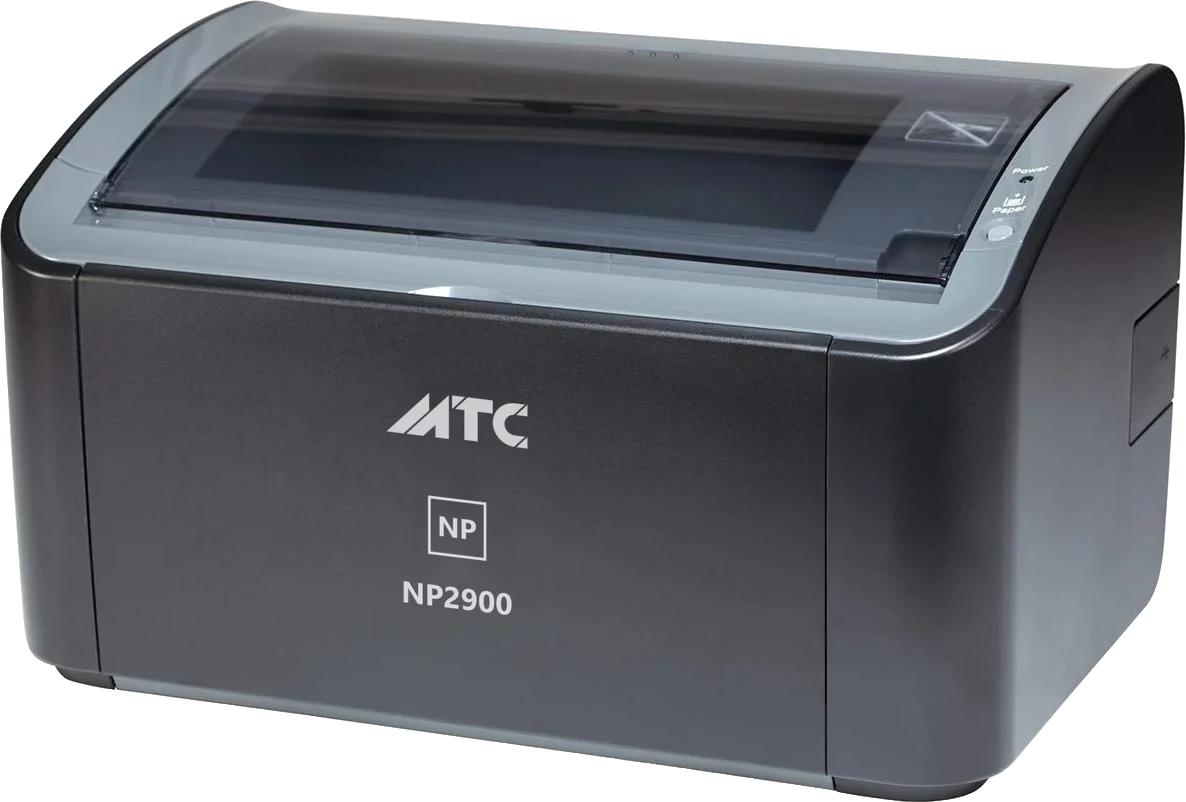
  • Black & White PrintingHigh print quality
  • 12 pages per minuteFast printing speed (A4)
  • A4, LetterSupports various paper sizes
  • USB 2.0Stable connection
ItemValue
TypeDesktop monochrome laser printer
Print speed (A4)12 pages per minute
Resolution2400 × 600 dpi
Multi-purpose trayAbout 150 sheets of 64 g/m² plain paper
Paper sizesA4, A5, B5, Letter, Legal, Executive · envelopes DL, C5, COM10, Monarch · index cards 76 × 127 mm (manual feed slot) · custom sizes 76.2–215.9 mm wide, 127–355.6 mm long
Paper typesPlain paper 64–90 g/m² · heavy paper 91–163 g/m² · labels and transparencies for laser printers · envelopes · index cards
Printable areaMargins of at least 4 mm top, 6 mm bottom, 5 mm each side
ConnectivityUSB 2.0, cable included
Operating systemsWindows 11, 10, 8, 7, XP · macOS · Linux
Printer software updatesIn the browser (Chrome, Microsoft Edge), over USB
Toner cartridgeAbout 2,000 A4 pages at 5% coverage, refillable
NoiseUp to 48 dB(A) while printing
Power supply220–240 V, 50/60 Hz
Power consumptionPrinting about 259 W · standby about 2 W · maximum 726 W
Operating environment10–32.5 °C, humidity 20–80%
Dimensions (W × D × H)370 × 251 × 217 mm with trays closed
WeightAbout 5.7 kg (without toner cartridge)
In the boxPrinter, toner cartridge, power cord, USB cable, driver CD, quick start guide
WarrantyContact your seller

Specifications may change without notice. Items marked "to be confirmed" will be added.

Drivers

Pick the version for your operating system to download.

Windows 64-bit

NP2900 printer driver for 64-bit Windows

Run the installer and follow it, plugging the printer in when asked. Works from Windows XP through Windows 11.

Version
3.30
Date
2017-02-14
Size
10.9 MB
Windows 32-bit

NP2900 printer driver for 32-bit Windows

Run the installer and follow it, plugging the printer in when asked. Works from Windows XP through Windows 11.

Version
3.30
Date
2015-07-17
Size
9.2 MB
Linux

NP2900 printer driver for Linux (32/64-bit)

Installer package for 32-bit and 64-bit Linux; setup instructions are inside the archive.

Version
2.71
Date
2017-05-15
Size
121.6 MB
macOS

NP2900 printer driver for macOS

Unzip and run the .pkg (Apple silicon asks to install Rosetta). If macOS blocks it: System Settings → Privacy & Security → Open Anyway.

Version
1.6.9
Date
2026-09-11
Size
68.9 MB

Printer software

Any operating system

NP2900 printer software

Fixes a rare blank page and improves performance. Update right in the browser on the Update page.

Version
v1.7.0
Date
2026-08-10
Size
0.9 MB
How do I set the printer up on Windows the first time?
  1. Connect the USB cable from the printer to your computer and switch the printer on.
  2. Get the driver from the Drivers & updates tab on this page and run the installer.
  3. When printing, pick NP2900 in the print dialog.

Look in on the Update page now and then so the printer always has the latest software — the update runs right in the browser, with nothing to install.

Does it work with a Mac?

Yes. The macOS driver is on the Drivers & updates tab — download it and run it.

With the NP2900W, a Mac prints over WiFi with nothing to install: the printer simply appears in the printer list.

How do I update the printer?

Open the Update page of this site in Chrome or Microsoft Edge on a computer. Turn the printer off, hold the PAPER key and switch it on — the printer appears as a drive. Pick that drive on the page and it does the rest. Nothing to install.

If the computer does not have Chrome or Microsoft Edge, install either one (both are free) and open the page again.

What if an update goes wrong?

Nothing happens. The printer checks every file before using it: a wrong or damaged file is refused. Even if the power cuts out mid-way, the printer keeps running its previous software. Just run the update again.

How do I clear a paper jam?
  1. Open the top cover.
  2. Pull the sheet out in the direction the paper travels, slowly and evenly. Do not yank it backwards.
  3. Close the cover; the printer continues with the interrupted page.

To avoid jams: use dry, flat 70–80 g/m² paper and do not fill the tray above the mark.

Prints are faint or streaky?
  • Faint across the whole page: the toner is running low. Remove the cartridge, rock it gently a few times, refit it; then refill or replace it.
  • Vertical streaks: usually toner on the drum. Print a few blank pages; if it persists, contact your reseller for cleaning.
  • Smudged text: check the paper is not damp.
Can the toner cartridge be refilled?

Yes. The NP2900 cartridge is refillable and not locked: refill it at a shop or fit a compatible cartridge and the printer carries on as normal.

Where do I get warranty service?

Contact the reseller you bought from. The printer keeps its own usage and update history in memory; a technician can read it instantly, which makes warranty service fast and transparent.

For direct help: support@mtcprinter.com.