
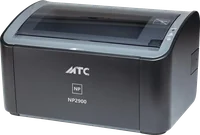
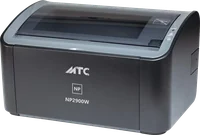
This policy covers the MTC NP2900W app for iPhone, iPad, Android, Windows and macOS, the MTC NP2900W printer, the MTC Cloud remote printing service, the website mtcprinter.com and the MTC Forum. They are provided by MTC Dongguan Baijie Trading Co., Ltd., Dongguan, Guangdong, China (“MTC”, “we”).
In short
- The app and the printer need no account, show no ads and do not track you.
- Apart from MTC Forum, we do not collect, sell or share your personal data.
- What you print goes only to the printer you choose. When you print from anywhere, your document is encrypted on your device and only that printer can open it; our server only passes it on, cannot read it and keeps nothing.
- MTC Forum is optional. If you create an account, we keep what you tell us and what you post, as described under “MTC Forum”. We do not sell it.
What stays on your device and your printer
- The documents and photos you choose to print. The app prepares the pages on your device, Word and Excel files included, and sends them to the printer. We never receive a copy.
- The app’s settings (language, print options and so on) are kept on your device and go when you delete the app.
- The printer’s settings and its list of devices invited to print from anywhere are kept in the printer itself. The list holds each device’s name, operating system, how long it may print, when it last printed and how many pages it printed lately. Whoever manages the printer can see, extend, block or remove any device at any time.
Permissions the app asks for
- Local network and Wi-Fi: to find and connect to the printer on your network.
- Camera: only to scan the QR code of an invitation to print from anywhere. The camera picture is read on your device, never saved and never sent anywhere. You can also pick a photo of the QR code; it too is read only on your device.
- Notifications: to tell you how a print job is going (printing, out of paper, done). Notifications are made on your device and pass through no server.
- On Android, a few other system permissions are used only to keep a print job running while the app is in the background and to install updates of the app.
Printing from anywhere with MTC Cloud
When an office turns on printing from anywhere, its printer keeps a connection to the MTC Cloud relay server. A device it invited (with a short-lived QR code invitation) sends print jobs to the printer through this server.
- End-to-end encryption. Documents are encrypted on the sending device, and only the receiving printer can decrypt them. The relay server holds no key, cannot read the content and does not store documents.
- The server does not know who you are. There is no account, name or email. The server only knows the printer’s code, to deliver data to the right printer.
- Service records. To keep the service running, the server notes when each printer’s connection opens and closes: the printer’s code, its software version, the data centre and how long it was connected. These records hold nothing about the people who print or their documents, and are deleted after at most 7 days.
- Protection from attacks. The server counts connections from each network address over one minute, to stop floods of connections. Network addresses are not written into the service records above.
- Infrastructure. MTC Cloud runs on Cloudflare’s network and on a relay in Hong Kong rented from Tencent Cloud, which makes printing faster for customers in China. As with any internet connection, these providers see your device’s network address while they carry the encrypted data, under their own policies.
Updates of the app and the printer
The app and the printer ask dl.mtcprinter.com whether there is a new version and download updates from there; these requests carry no information about you. Every update is digitally signed by MTC, and the printer and the app check the signature before installing it. If you installed the app from the App Store or Google Play, Apple or Google update it under their own policies.
Crash reports
The app contains no third-party analytics or crash-reporting tools. If you have chosen in your iPhone, iPad or Android settings to share analytics with app developers, Apple or Google may send us anonymised crash reports.
MTC Forum
What you give us when you sign up
- Required: email, display name, phone number.
- Optional: full name, whether you are a person, an office or a dealer, company or shop name, the MTC products you use, country, city, profile picture, cover picture.
What you post: posts, photos, comments, reactions, poll votes, saved posts, the people you follow or block, private messages.
Technical data
- One sign-in cookie, only while you are signed in. It expires after a year without a visit.
- The list of devices you are signed in on (kind of device, browser, last used), so you can sign them out from Settings.
- Your network address when you sign in or ask for a code, to stop abuse; kept 1 day at most.
- Cloudflare Turnstile checks that a person, not an automated program, asks for a sign-in code.
- No analytics or advertising tools.
We use it to: sign you in, show your posts and profile, review posts, send the notifications you turned on, keep the forum safe, and help you with our products.
News from MTC: only if you tick the box for it (it is optional). We record the date you agreed. You can turn it off at any time in Settings or with the link in every email.
Who sees what
- Everyone: your display name, picture, cover picture, country, the MTC products you use, the date you joined, and what you post publicly.
- Administrators only: your email, phone number, full name and company.
- Private messages: only the two people in a conversation can read them; administrators do not. When you report a conversation, the reported person’s last 10 messages go to the administrators.
- Voice and video calls: the sound, the picture and any screen you share go straight between the two devices, or through Cloudflare’s relay when the two networks cannot connect directly; nobody records or keeps them. The conversation keeps one line: the kind of call, when, and how long. The camera, microphone and screen sharing are used only while you call or answer, and you can turn them off at any time. When the two people use different languages, Translate call comes on by itself (either side can turn it off); while it is on, what each person says is sent to Microsoft Azure’s speech service to be written down, then translated by Anthropic’s Claude, and the translated sentence is sent to Microsoft Azure to be read aloud; nothing is kept after the call, and both sides see when translation is on.
Where it is kept: on Cloudflare’s servers, which may be outside your country. Emails are sent through Cloudflare’s email service. When you tap “See translation” or a message is translated for you, that text is translated by Anthropic’s Claude (when Claude does not answer: by Cloudflare’s AI service).
How long
- Your profile and content: until you delete your account, plus the 30 days’ wait.
- Sign-in codes: 10 minutes.
- Your sign-in on each device: until you sign out, or a year without a visit.
- Network addresses: 1 day at most.
- The date you agreed to news, or withdrew: kept with the account.
Your rights on the forum: in Settings you can edit your profile, change your email, see and sign out the devices you are signed in on, download all your data (a JSON file), turn off each kind of email, choose whether people you do not know may message and call you, withdraw consent to news, and delete your account. Deleting your account hides it at once and deletes it for good after 30 days, with your profile, posts, comments, reactions and the messages you sent; signing in again within the 30 days keeps it. For anything else, write to support@mtcprinter.com.
Age: MTC Forum is for people aged 16 and over.
The website mtcprinter.com
The website uses no analytics or advertising tools. Your browser remembers your choice of light or dark appearance on your own device. When you sign in to MTC Forum, the website sets one sign-in cookie and keeps the draft of a post you are writing on your device. The website is served through Cloudflare’s network.
Children
Our products are made for offices and homes and are not directed at children. MTC Forum is for people aged 16 and over; if we learn that an account belongs to someone under 16, we delete it.
Your rights
Apart from MTC Forum, we keep no personal data about you, so there is nothing on our side for you to request or delete. The data on your device goes when you delete the app. The printer’s list of remote devices can be cleared by whoever manages the printer, from the app. For MTC Forum, see “MTC Forum”.
Changes
When this policy changes, we update this page and the date at its top.
Contact
MTC Dongguan Baijie Trading Co., Ltd. · Dongguan, Guangdong, China · support@mtcprinter.com
MTC is a brand of Nam Phat Technology Limited Company · Business Reg. No. 0201118033 · 3/285 Lan Be Street, An Bien Ward, Le Chan District, Hai Phong, Viet Nam.